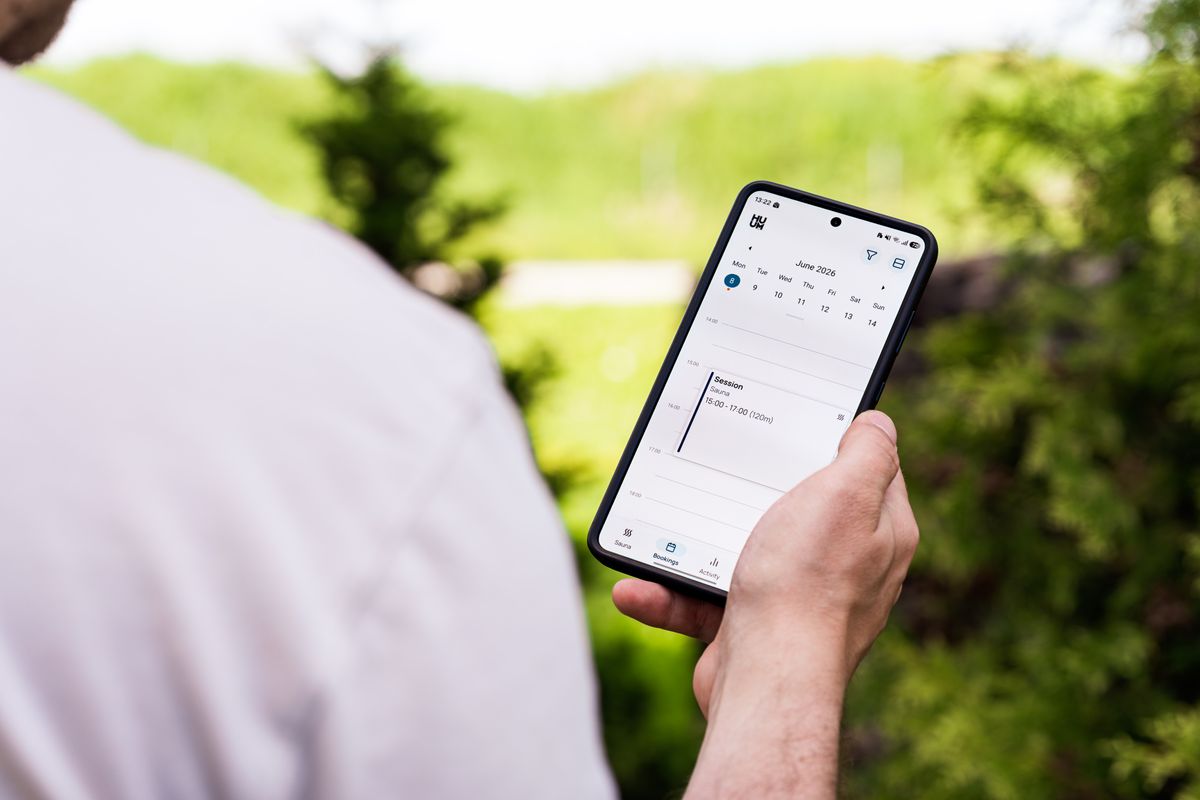
Picture the last patient who found you. They searched something like "dermatologist near me," your practice came up in the map results, they glanced at your rating, saw a couple of good reviews, and thought, yes, this one. Then what? On most healthcare listings, the only next step is a phone number. So they tell themselves they will call tomorrow during a break. Tomorrow gets busy. The moment passes. That patient, warm and ready two seconds ago, is gone.
Reserve with Google exists to close that exact gap. It puts a blue Book button on your Google Business Profile, right there in Search and Maps, so the patient who just decided can pick a time on the spot instead of promising themselves a phone call that never happens. It is one of the most overlooked levers a practice can pull, and most owners have never been told it exists. So let us walk through what it is, whether it is worth it, and the one mistake that can turn it against you.
What Reserve with Google actually is
Reserve with Google is a free feature from Google that lets people book appointments straight from your Google Business Profile. When it is turned on, a Book button shows up next to your name in the local map pack and on your profile in Google Maps. A patient taps it, Google hands them off to your scheduling page, and they choose an open time. No call, no hold music, no phone tag.
The catch is that Google does not run the calendar itself. The button only appears if your booking software is an approved Reserve with Google partner. Plenty of common scheduling tools qualify, including Jane, Acuity, and a range of healthcare scheduling platforms, and many practice management systems now offer it too. So the button is free from Google, but you need a real booking system sitting behind it. If you already take appointments online somewhere, you may be one integration away from having this live.
Think of it as meeting the patient where the decision happens. They are not on your website yet. They are staring at a Google result, comparing three practices. The one with a Book button lets them act before they cool off. The other two ask them to remember to call.
Why this matters more than it sounds
Here is the part owners underrate. The way patients book has already changed, and the phone is losing. Survey after survey now finds that most patients would rather schedule online than call, and a large share say the freedom to book anytime, day or night, is a real factor in choosing a provider. The reason is simple and a little uncomfortable: calling a doctor's office means calling during the exact hours the patient is stuck at their own job.
That is why so much booking happens when your front desk is dark. Scheduling providers routinely report that around 40 percent of online appointments are made outside normal business hours, with a heavy spike on Sunday evenings as people sort out the week ahead. If the only way to reach you is a call between 9 and 5, you are invisible to the patient sitting on their couch at 8pm ready to commit. We dug into this leak in our piece on whether your practice is losing patients after hours, and the short answer for most offices is yes.
There is a second payoff that hits your bottom line directly: no shows. A 2025 study published in Frontiers in Digital Health tracked appointments at a medical practice and found the no show rate was 1.8 percent for visits booked online, compared with 5.9 percent for visits booked by phone. That is roughly a 70 percent drop. Patients who pick their own time, get an instant confirmation, and receive automated reminders simply show up more often. Every empty chair you prevent is revenue you keep.
Put those together and the case is strong. A Book button catches patients at their moment of intent, works while you sleep, and brings in the kind of appointments that actually get honored. For a small independent practice competing against big groups and retail clinics, that is a rare edge that costs almost nothing to switch on.
The one trap: whose button is it?
Now the honest warning, because this is where practices get burned. Reserve with Google is powerful, but you have to control where the button sends people.
Google has, at times, automatically added booking links to healthcare profiles through third party aggregators and directory sites, sometimes without the practice ever asking. When that happens, your Book button can route patients through a middleman without you ever knowing. Some of those middlemen list your competitors right next to you on the booking page. Some charge a fee for every appointment they pass along. Either way, a patient who came looking for you specifically gets funneled through a platform that rents your own patients back to you. You did the work to earn the search. Someone else clips a toll on the way in.
The fix is not to avoid the button. The fix is to own it. Log into your Business Profile and check exactly which provider is connected to your booking link. If it is a directory or an aggregator you never signed up for, replace it with your own scheduling system. This is the same reason we keep steering practices away from renting patients through big directory platforms, a theme we covered in why so many practices should bring online booking onto their own turf. A patient booked through your own system is yours to keep, remind, follow up with, and bring back. A patient booked through a middleman is a lead you are leasing.
A two minute check you can do right now
Open Google and search your practice name. If you see a Book button, tap it and watch where it takes you. Does it land on a page that clearly belongs to you, or on a third party site with other practices listed? Then open your Business Profile dashboard and look at the booking provider connected to your listing. If it is anything you do not recognize or control, that is your action item this week. If there is no button at all, that is a booking system waiting to be connected.
A Book button is not a booking system
Here is the mistake that undoes all of this. A practice turns on the button, gets a rush of online bookings, and then those appointments land in a calendar nobody is really watching, disconnected from the front desk, the reminders, and the patient record. The patient books, no confirmation feels human, a reminder never goes out, and the no show they were supposed to avoid happens anyway.
The button is only the front door. What matters is the room behind it. Every appointment, whether it comes from Google, from your website, from an ad, or from a call, should flow into one system that confirms instantly, sends reminders, and keeps the patient's history in one place. When booking is scattered across a Google calendar here and a paper book there, you get double bookings, missed confirmations, and a front desk that trusts none of it. When it is unified, the Book button becomes a genuine growth channel instead of another inbox to babysit.
This is also why the button and your website work together, not against each other. The button catches the patient still standing in Google's search results. Your website built to convert catches the one who clicks through to learn more or who arrives from an ad. Both should lead to the same place. If your site's booking form is clunky or slow, plenty of ready patients bail before they finish, a problem we broke down in why patients abandon your online booking form. Two clean doors into one schedule beats one door with a lock on it.
What about the patients who still want to call?
Adding a Book button does not mean abandoning the phone. Some patients, especially for sensitive or complex visits, want to talk to a person first. The goal is to give people the option they prefer, not force everyone down one path. Younger patients tend to book themselves; older patients often reach for the phone. A practice that offers both wins on both sides. We laid out the trade offs in do patients prefer to book online or call, and the honest answer is that it depends on who you treat.
The trap on the phone side is the same one the Book button solves for the web: the moment gets missed. A call that rings out after hours, or sits in a voicemail nobody returns until noon, loses the patient just as surely as a listing with no booking option. That is why we pair online booking with our AI receptionist, so the calls that come in when the front desk is slammed or gone still get answered and booked. Between a Book button for the self schedulers and a receptionist that never misses a call, you stop leaking patients at both doors.
Our honest take
Reserve with Google is worth turning on for almost every practice, with one condition: point the button at a booking system you actually control, and make sure that system is connected to your front desk, your reminders, and your patient records. Do that and you get a channel that captures patients at their peak moment of intent, works around the clock, and cuts no shows by a wide margin, all for the cost of a scheduling tool you may already own.
What we would not do is treat it as a magic button you flip and forget. The practices that get the most from it are the ones that stitch it into a single, tidy booking flow, keep the patient inside their own house rather than a directory's, and cover the phone for the folks who still want to call. The button is the easy part. The system behind it is where the patients actually get kept.
How EtherealMinds sets this up for you
We connect the Book button to your own booking system, not a directory, so every appointment a patient starts on Google lands directly in the patient acquisition system we build for your practice, with instant confirmations and automatic reminders already running. No middleman clipping a fee, no appointments floating in a calendar nobody checks, no patient handed to a platform that lists your competitors next to you.
Because most patients meet you on Google before they ever see your site, we also make sure your local SEO and Google Business Profile are working hard enough to earn that search in the first place, then hand the ready patient a clean way to book. Pair a strong listing, a fast website that converts, and a booking flow you own, and the Book button stops being a nice extra and starts filling your schedule while the office is closed. If your Google listing gets plenty of views but not enough calls, that gap between attention and booking is usually the whole problem, and it is exactly what we fix. We wrote about that pattern in views but no calls.
Turn your Google listing into a booking machine
Book a free strategy call. We will check whether your Book button is pointed at your own system or a middleman, connect it to a booking flow that confirms and reminds automatically, and make sure the patients Google sends you actually become appointments you keep.
Book a free strategy call →